
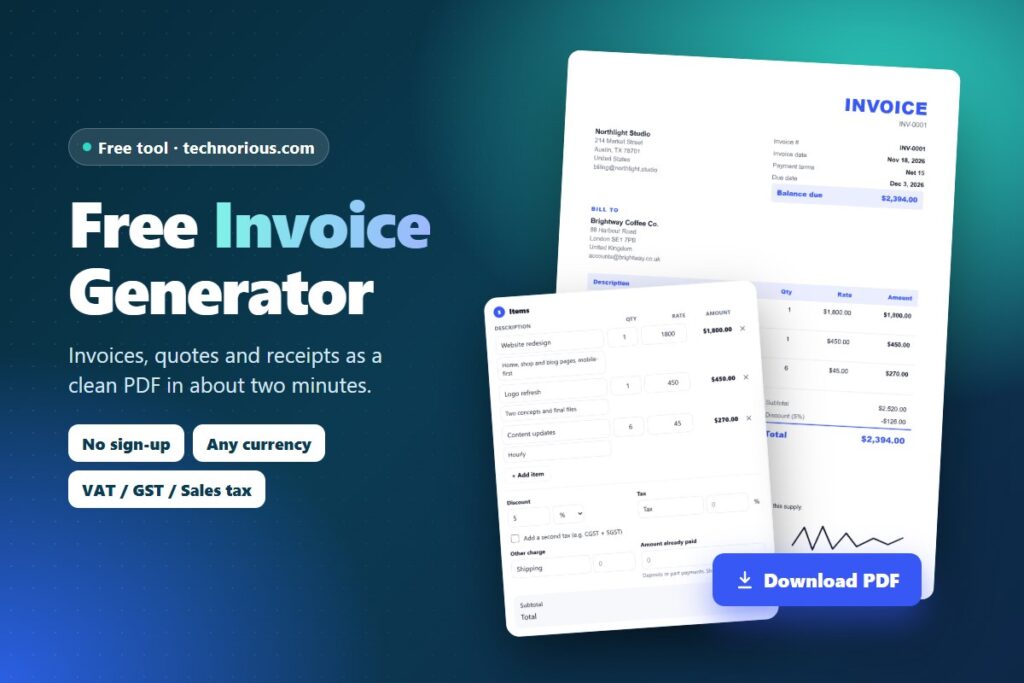
Quick answer: To make an invoice, add your business details, your client’s details, a unique invoice number, the invoice date and due date, each item with its quantity and price, any tax or discount, the total, and how the client should pay you. Fill in the form above and click Download PDF. It’s free, there’s no sign-up and no watermark, and nothing you type leaves your browser.
How to create an invoice in 6 steps
- Pick the document and currency. Choose Invoice, Tax Invoice, Proforma Invoice, Quote, Estimate, Receipt or Credit Note, then pick your currency. The tool guesses your currency, number format and paper size (A4 or US Letter) from your browser, and you can change them.
- Add your details and logo. Enter your name or business name, address, email and, if you have one, your tax number (VAT, GST, EIN, ABN, NTN and so on). Upload your logo if you want it on the invoice.
- Add your client. Enter the client’s name and address. Add their tax number if your country needs it for business-to-business invoices, and a separate “Ship to” address if you are sending goods.
- Set the number, dates and terms. Give the invoice a unique number (for example INV-0001), the issue date and payment terms such as Net 15 or Net 30. The due date fills in automatically.
- List what you are charging for. Add each product or service with a short description, quantity and rate. Add a discount, one or two taxes, shipping or another charge, and any deposit already paid. Totals update as you type.
- Add payment details and download. Tell the client how to pay you (bank transfer, PayPal, Payoneer, Wise or a payment link), add notes or a signature, then click Download PDF or Print. Click “Save copy” to keep it in “My invoices” for next time.
What to put on an invoice
Rules differ by country, but almost every tax office asks for the same core details. If your invoice has all of these, it will be accepted by most clients worldwide:
- The word “Invoice” (or “Tax Invoice” where your country requires it, such as Australia for GST-registered businesses).
- A unique invoice number that follows a sequence, such as INV-0001, INV-0002. Never reuse a number.
- Your name or business name, address and contact details.
- Your client’s name and address.
- The invoice date and, for VAT or GST invoices, the date of supply if it is different.
- A clear description of each product or service, with quantity, unit price and line total.
- Subtotal, tax and the total amount due, in a named currency.
- Your tax number if you are registered for VAT, GST or sales tax, and the client’s tax number when your country requires it.
- Payment terms and due date (for example, “Net 30, due 15 December”).
- How to pay you: bank details, a payment link or a PayPal, Payoneer or Wise address.
Not registered for VAT or GST? Don’t add tax and don’t show a tax number you don’t have. Many freelancers add a short line such as “Not registered for VAT/GST” so the client knows why there is no tax. The Notes section of the tool has one-click buttons for this and for “Reverse charge”.
Invoice, proforma, quote, receipt or credit note?
| Document | When to use it | Asks for payment? |
|---|---|---|
| Invoice | After you deliver the work or goods, to ask for payment. | Yes |
| Tax invoice | An invoice from a VAT or GST registered business that lets the client claim the tax back. Some countries require this exact title. | Yes |
| Proforma invoice | Before the work or shipment, to confirm the price, get a deposit or support an import or bank process. It is not a final tax invoice. | Sometimes (deposit) |
| Quote or estimate | To offer a price before the client agrees. A quote is usually a fixed price; an estimate is an approximate one. | No |
| Receipt | After you have been paid, as proof of payment. | No (already paid) |
| Credit note | To cancel or reduce an invoice you already sent, for example after a refund or a mistake. | No (reduces what is owed) |
VAT, GST and sales tax on invoices by country
The tool lets you name your tax (VAT, GST, Sales tax, HST, CGST + SGST and so on) and set your own rate, so it works in any country. What changes from place to place is what the tax is called and which tax number goes on the invoice. Always check the exact rules with your own tax office.
| Country or region | Tax on the invoice | Number to show | Official guide |
|---|---|---|---|
| United States | State and local sales tax (no federal sales tax; many services are not taxed) | None required; an EIN is optional | IRS recordkeeping |
| United Kingdom | VAT, only if you are VAT registered | VAT registration number | GOV.UK invoices |
| European Union | VAT; “Reverse charge” for many business-to-business sales across borders | VAT ID of seller (and buyer for reverse charge) | Your Europe: invoicing rules |
| Canada | GST or HST (plus PST or QST in some provinces) | GST/HST registration number | CRA: receipts and invoices |
| Australia | GST, on a document titled “Tax invoice” | ABN | ATO: tax invoices |
| India | GST: CGST + SGST within a state, IGST between states | GSTIN (and the client’s GSTIN for business sales) | GST portal |
| Pakistan | Sales tax on goods (federal) or on services (provincial) | NTN and, if registered, STRN | FBR |
| United Arab Emirates | VAT | TRN | UAE Federal Tax Authority |
| Saudi Arabia | VAT, through an approved e-invoicing system | VAT number | ZATCA e-invoicing |
Electronic invoicing: some countries require registered businesses to issue invoices through an approved e-invoicing system (for example Saudi Arabia, Italy, and larger GST businesses in India). A PDF invoice from any free generator, including this one, does not replace those systems. It is ideal for freelancers, small businesses and international clients where a PDF invoice is accepted.
Payment terms, and how to get paid faster
“Net 30” means the client has 30 days from the invoice date to pay. “Due on receipt” means pay now. Shorter terms such as Net 7 or Net 15 suit freelancers and small jobs; larger companies often insist on Net 30 or longer. A few habits get invoices paid sooner:
- Invoice the same day you finish the work, while the client is happy with it.
- Make paying easy: put full bank details or a payment link on the invoice so the client doesn’t have to ask.
- Ask for a deposit on bigger jobs. Use a proforma invoice for 30 to 50% upfront, then add it under “Amount already paid” on the final invoice to show the balance.
- Use the client’s reference. Many companies can’t pay an invoice without their purchase order (PO) number, so add it.
- Agree late-fee terms in advance, then state them on the invoice, and send a polite reminder the day after the due date.
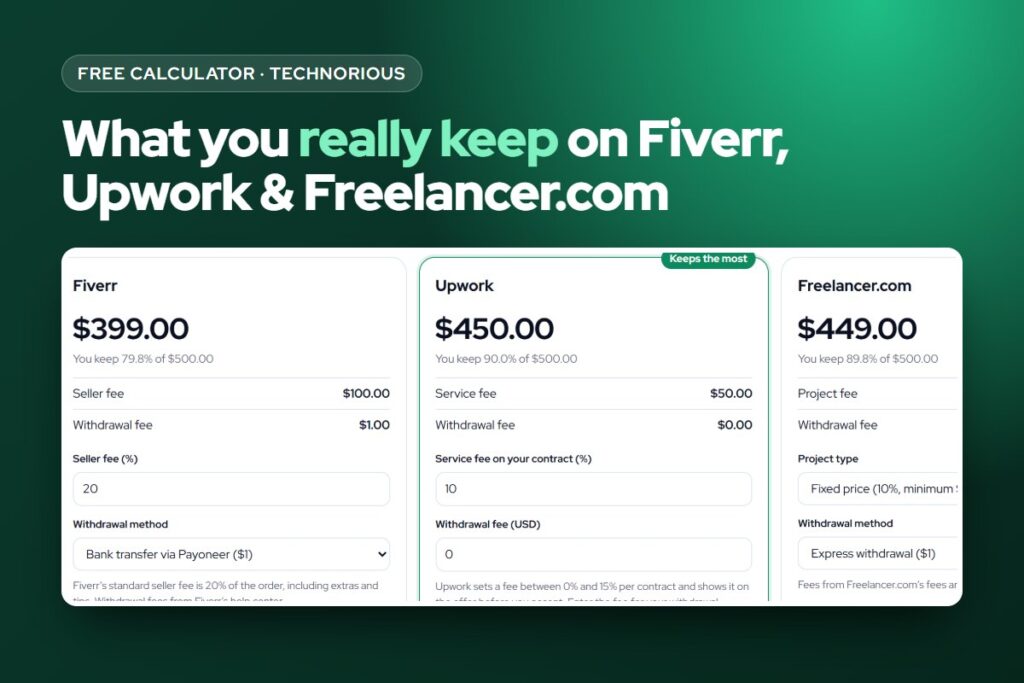
Working through Fiverr or Upwork? The platform handles invoicing for jobs paid there, so use this tool for direct clients. To see what you actually keep after platform fees, try the Freelance Fee Calculator, and read our guides to Fiverr fees and Upwork fees.
Is my invoice data private?
Yes. The invoice generator runs entirely in your browser. Your details, your clients and your logo are not uploaded to Technorious or to anyone else. Drafts and saved copies are kept in your browser’s local storage on this device only, so they stay put when you come back, but they won’t appear on another device. Your downloaded PDFs are your permanent record. To delete everything from the browser, open “My invoices” and click “Clear everything”.
Frequently asked questions
Is this invoice generator really free?
Yes. You can create and download as many invoices, quotes and receipts as you like with no sign-up, no trial and no watermark on the PDF.
Do I need to create an account?
No. Open the page and start typing. Your details are saved in your browser automatically, so your business info, logo and payment details are already filled in next time you use the same browser.
How do I make an invoice as a freelancer?
Add your name and contact details, the client’s details, a unique invoice number, the date and due date, a line for each service with hours or quantity and your rate, then your payment details. Download it as a PDF and email it to the client. If you are not registered for VAT or GST, leave the tax at zero.
Can I create an invoice in any currency?
Yes. The tool supports more than 150 currencies, including USD, EUR, GBP, CAD, AUD, INR, PKR, AED and SAR, and it formats amounts in the style you choose, such as 1,234.56, 1.234,56 or 1,23,456.78.
How do I add VAT, GST or sales tax to an invoice?
In the Items section, type the tax name (for example VAT, GST or Sales tax) and its rate. Tick “Add a second tax” if you need two, such as CGST and SGST in India. Add your tax number in “Your details” so it appears on the invoice.
What is the difference between an invoice and a receipt?
An invoice asks for payment; a receipt confirms that payment was made. Choose “Receipt” as the document type after you have been paid, and the tool marks the document as paid.
How should I number my invoices?
Use a unique number in a simple sequence, such as INV-0001, INV-0002, or include the year, such as 2026-001. Click “New” in the tool and it moves to the next number for you while keeping your details.
Can I add my logo and signature?
Yes. Upload a PNG or JPG logo in “Your details”, and in the Signature section either draw your signature with a mouse or finger or upload an image of it. Both appear on the PDF.
Is an invoice made with a free generator legally valid?
An invoice is valid when it contains the details your country requires, not because of the software used to make it. This tool includes every common field. Countries that require approved e-invoicing systems for registered businesses, such as Saudi Arabia, are the exception.
Can I edit an invoice after downloading it?
Yes. Click “Save copy” before you download, then open it from “My invoices” to edit and download it again. If you need to correct an invoice you already sent, it is good practice to issue a credit note rather than change the original.